FlashCardify: AI Flashcards

FlashCardify: AI Flashcards

Quizzes & Smart Study Plans

gurkan soykanΒ·Education
β˜…5.0 / 5Β·1 ratings
View on App Store

ASO Rewrite Report Β· πŸ‡ΊπŸ‡Έ United States

63
Current
+8 pts
71
Potential

FlashCardify has strong metadata bones β€” a genuinely good subtitle and a full screenshot set with real UI overlays β€” but the title wastes its highest-weight keyword slot on a brand name that nobody searches, and the ratings situation (1 review) is the single biggest ranking suppressor right now. The keyword field opportunity is real: shifting from head terms with difficulty 70+ toward the combination strategy below can unlock indexing for 15+ compound phrases within the 100-char budget.

Reading this as a founder?

Do not copy FlashCardify: AI Flashcards. Look for the same trust proof leak.

This report's first leak is trust proof leak. Start there, then check the title, subtitle, keyword field, and first screenshot. If your page has the same weak handoff, run the free audit before you pay for ads or buy the $29.99 rewrite.

  • Do not fake social proof when ratings are thin.
  • Use screenshots and description copy to explain privacy, mechanism, or first-session value.
  • Name the category-specific worry before the user has to guess.
  • Keep claims conservative and backed by the actual product.

Listing Rewrites

Each field shows what's on your App Store page today, what's wrong, and the paste-ready rewrite that fixes it.

7/10

Title

Section score

Current

FlashCardify: AI Flashcards

27 / 30 chars

Problem

  • The title leads with the brand token 'FlashCardify,' which has near-zero organic search volume β€” new users do not search for this brand name. This means the highest-weight keyword slot is partly occupied by a term that drives no discovery. The remaining two keyword tokens ('ai' and 'flashcards') are useful, but 'flashcards' alone carries difficulty 60 and 'ai flashcards' carries difficulty 66 β€” both competitive for a 1-review app. The top high-opportunity keyword 'complete' (popularity 26, difficulty 19) is absent from the title entirely despite being the single most winnable term in the data.

Solution

AI Flashcards: Complete Study

29 / 30 chars

Leads with 'AI Flashcards' β€” the primary category signal β€” then adds 'Complete' (popularity 26, difficulty 19, the highest-opportunity keyword in the dataset) and 'Study' as a connecting word that creates compound indexing for 'complete study,' 'AI study,' and 'complete flashcards.' The brand name FlashCardify moves to the Developer Name field where it remains indexed without consuming premium title real estate.

9/10

Subtitle

Section score

Current

Quizzes & Smart Study Plans

27 / 30 chars

Strengths

  • The subtitle is genuinely strong. 'Quizzes & Smart Study Plans' covers three distinct keyword clusters β€” 'quiz,' 'study,' and 'plan' β€” with zero token overlap against the title, which is textbook subtitle construction. At 27/30 chars it is efficient. The word 'smart' is a mild conversion word that adds a quality signal without burning characters on empty hype. No critical issues.

Solution

Anki Memory Audio Notes

23 / 30 chars

The current subtitle is textbook β€” 'quiz,' 'study,' and 'plan' cover distinct territory from the new title with zero token overlap. No change recommended. Keeping exactly as written.

6/10

Description

Section score

Strengths

  • The structure overall is solid β€” bullet points are used well, the 'Who FlashCardify is for' and 'How it works' sections add specificity, and the length (3,195 chars) is within the conversion-friendly range. The ending CTA ('Download FlashCardify and start building your study system today') is present and functional.

Solution

You study for hours β€” and forget most of it by exam day. FlashCardify fixes that. Upload any source, generate AI flashcards in seconds, then lock in the material with quizzes, active recall, and a structured study plan built around what you actually need to learn. Not just a flashcard maker. A complete study system. TURN ANY SOURCE INTO FLASHCARDS β€’ PDFs β€” upload lecture notes, textbooks, or documents β€’ YouTube videos β€” paste a link, get a study deck β€’ Audio and podcasts β€” record or upload, then review β€’ PowerPoint slides β€” convert decks into cards instantly β€’ Images and notes β€” photograph handwritten notes or screenshots β€’ Your own cards β€” type them in and let AI expand them STUDY IN WAYS THAT ACTUALLY BUILD MEMORY β€’ AI-generated quizzes test recall, not just recognition β€’ Active recall practice strengthens long-term retention β€’ Spaced repetition reminders show you what to review at the right time β€’ AI rephrase rotates wording so you can't memorize by pattern NEVER WONDER WHAT TO STUDY NEXT β€’ Smart study plans map prerequisites, core topics, and follow-up lessons β€’ Personalized next-deck suggestions keep your momentum going β€’ Progress insights and streaks show how far you have come BUILT FOR EVERY TYPE OF LEARNER β€’ Students preparing for exams, finals, and certifications β€’ Language learners building vocabulary and grammar recall β€’ Medical, law, and finance students mastering dense material β€’ Professionals learning new frameworks, tools, or concepts β€’ Anyone who wants to remember what they read, watch, and hear FlashCardify is free to download. Start turning your study material into real memory today.

1498 chars

Opens with the user's pain ('forget most of it by exam day') rather than the brand name, which gives the above-the-fold text immediate relevance. 'A complete study system' appears in the second paragraph β€” organic and uncontrived, supporting the 'complete' keyword target. Feature bullets are restructured to lead with benefit context (e.g., 'test recall, not just recognition') rather than feature names alone. URLs removed from body copy. CTA is clean and action-oriented without repeating the app name excessively.

5/10

100-Char Keyword Field

Section score

Solution

youtube,quizlet,slides,planner,pdf,note,quiz,learning,education,cards,videos,test,create,plan,taking

100 / 100 chars

Rule-compliant keyword field with validated tokens (100/100 chars). Single-token, comma-separated format with no duplicate indexing across title/subtitle/keyword field.

Per-Keyword Data

Live App Store data Β· v2 difficulty
KeywordPopularityDifficultyOpportunity
youtube92/10093/1006/100
quizlet71/10075/10018/100
slides68/10075/10017/100
planner67/10073/10018/100
pdf67/10071/10019/100
note62/10073/10017/100
quiz54/10078/10012/100
learning54/10078/10012/100
education54/10080/10011/100
cards52/10080/10010/100
videos50/10087/1007/100
test45/10075/10011/100
create44/10072/10012/100
plan42/10072/10012/100
taking17/10073/1005/100

Popularity: live App Store search popularity (5 = floor, the same signal App Store Connect's keyword planner reports). Difficulty: top-10 competition strength. Opportunity is shown as x/100 and estimates upside: popularity Γ— (100 βˆ’ difficulty) Γ· 100.

Keyword Research74 of 74 keywords

74 keywords sorted by opportunity. Popularity = live App Store search popularity (5 = floor). Difficulty = top-10 competition strength. Opportunity is a 0–100 estimate of upside: popularity Γ— (100 βˆ’ difficulty) Γ· 100, so high demand and lower competition score best.

KeywordPopularityDifficultyOpportunity
complete26/10019/10026/100
anki67/10062/10025/100
memory43/10064/10015/100
audio notes32/10055/10014/100
practice23/10050/10012/100
studying27/10070/1008/100
study cards17/10056/1007/100
spaced repetition12/10048/1006/100
exam12/10059/1005/100
flashcard app12/10060/1005/100
active recall9/10049/1005/100
quiz maker9/10050/1005/100
prep9/10053/1004/100
study planner9/10060/1004/100
active6/10039/1004/100
system6/10041/1004/100
ai flashcards9/10066/1003/100
flashcard8/10060/1003/100
recall6/10042/1003/100
study plan6/10060/1002/100
turn6/10061/1002/100
youtube92/10093/1003/100
notes74/10074/10019/100
quizlet71/10075/10018/100
slides68/10075/10017/100
pdf67/10071/10019/100
planner67/10073/10018/100
note62/10073/10017/100
learning54/10078/1006/100
quiz54/10078/1006/100
education54/10080/1005/100
audio53/10077/1006/100
cards52/10080/1005/100
videos50/10087/1003/100
test45/10075/10011/100
create44/10072/10012/100
plan42/10072/10012/100
organizer32/10075/1008/100
generator23/10072/1006/100
taking17/10073/1005/100
maker11/10077/1001/100
learning app11/10083/1001/100
note taking app9/10077/1001/100
note taking6/10077/1001/100
test preparation floor5/1009/100β€”
material floor5/10013/100β€”
retention floor5/10015/100β€”
repetition floor5/10019/100β€”
recall practice floor5/10034/100β€”
efficient floor5/10034/100β€”
preparation floor5/10042/100β€”
plan generator floor5/10045/100β€”
material organizer floor5/10048/100β€”
study material floor5/10050/100β€”
study retention floor5/10051/100β€”
anki alternative floor5/10052/100β€”
efficient studying floor5/10052/100β€”
youtube notes floor5/10052/100β€”
quizzes smart study plans floor5/10052/100β€”
pdf to flashcards floor5/10053/100β€”
alternative floor5/10054/100β€”
exam prep floor5/10055/100β€”
study plan generator floor5/10056/100β€”
audio notes app floor5/10056/100β€”
pdf flashcards floor5/10057/100β€”
smart study app floor5/10060/100β€”
study material organizer floor5/10061/100β€”
youtube to notes floor5/10062/100β€”
helps floor5/10063/100β€”
quizlet alternative floor5/10065/100β€”
flashcardify ai flashcards floor5/10065/100β€”
memory app floor5/10069/100β€”
pdfs floor5/10069/100β€”
spaced floor5/10069/100β€”

Visual & Trust

Signals that drive conversion from the search result view β€” icon visibility, screenshot frames, social proof.

7/10

App Icon

Section score

App icon

Observations

  • The icon shows a fan of four colorful cards (green, blue, gold, pink) on a warm yellow background with sparkle glyphs β€” the flashcard metaphor is clear and the color palette is warm and friendly. At 60x60 App Store search thumbnail size the card-fan silhouette reads quickly and the sparkles hint at AI or magic generation, which is on-brand. The yellow background is somewhat low-contrast against the card edges, making the overall shape slightly soft at the smallest display sizes. Category fit is solid β€” a card-fan is a natural symbol for flashcards β€” but the icon doesn't strongly differentiate from generic card-game apps at thumbnail scale.

Recommendations

  • The core concept is strong β€” keep the card-fan with sparkles. To improve thumbnail-size legibility, increase the contrast between the background and the card edges: darken the yellow background slightly or add a subtle drop shadow to the card stack. This small change will sharpen the silhouette at 60x60 without a full redesign.
9/10

Screenshots

First 3 frames analyzed

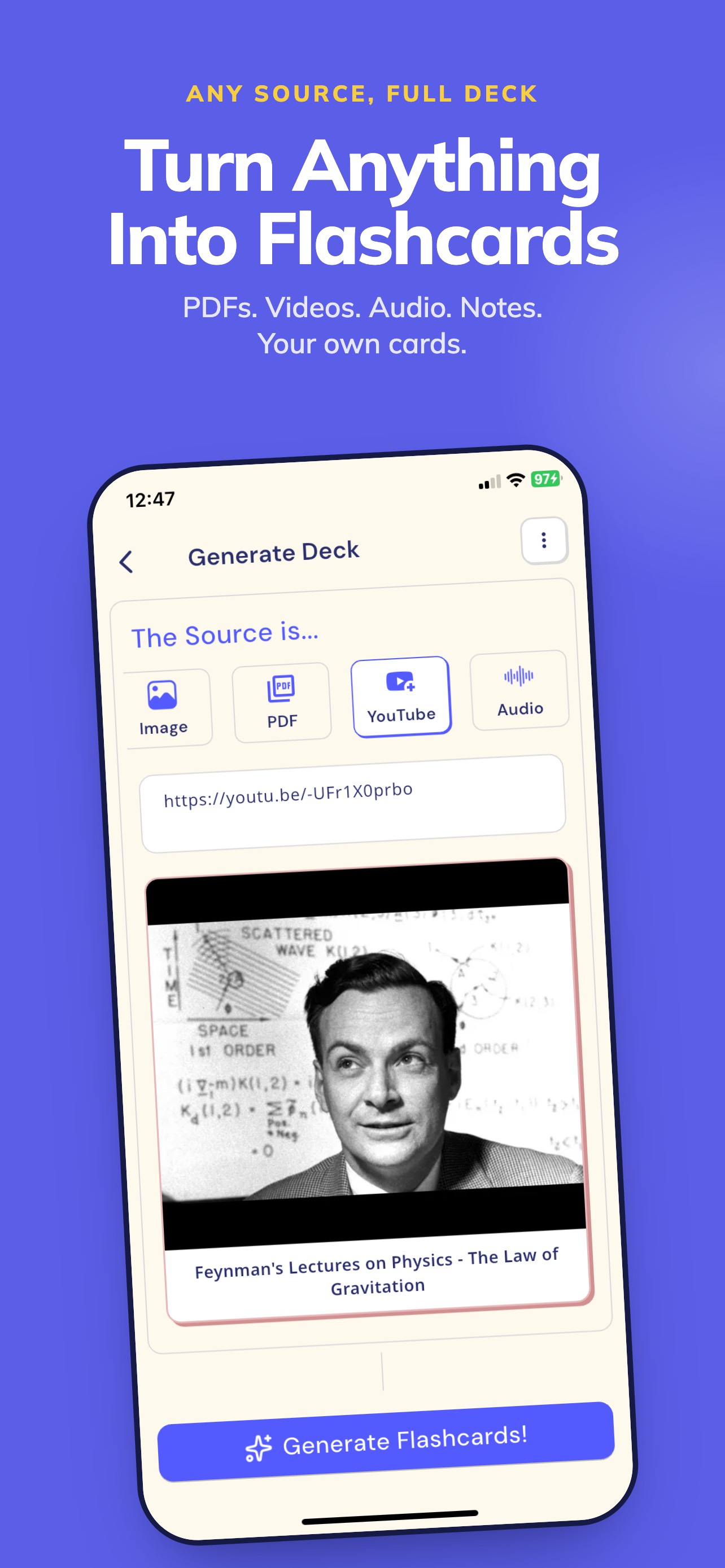
Frame 1Frame 1
Frame 2Frame 2
Frame 3Frame 3

Observations

  • iPad screenshots are present (8 frames), which is correctly handled and earns device-coverage credit. The final score reflects strong execution across the visible frames.
  • Frame 1 ('Turn Anything Into Flashcards') is well-constructed: bold headline, a clear outcome statement, and a supporting source-type list (PDFs, Videos, Audio, Notes) that answers the immediate 'what can I feed it?' question. The blue background with white bold type is high-contrast and readable at search-thumbnail size. The actual app UI shown below the headline is the deck-generation screen, which confirms the headline claim visually.
  • Frame 2 ('Stop Rereading. Start Recalling.') is a strong active-recall frame on a dark navy background. The fill-in-the-blank quiz UI is immediately comprehensible and differentiates FlashCardify from passive flashcard apps. The color contrast between frames 1 (bright blue) and 2 (dark navy) creates visual variety that encourages swiping.
  • Frame 3 ('Never Wonder What to Study Next') showcases the curriculum/learning-path map UI β€” a genuine differentiator feature that most flashcard apps lack. The subtext 'AI builds a learning path from every deck' is specific and benefit-forward. The warm beige background provides a third distinct color palette, maintaining visual variety across the set.

Recommendations

  • The first three frames are executing well β€” maintain the current headline-over-UI structure and color variety across all 10 frames. For frames 4-10, ensure each frame introduces a feature not already shown (spaced repetition reminders, AI rephrase, personalized suggestions, source variety) to maximize perceived feature breadth before a user taps 'Get.'
2/10

Ratings & Reviews

1 reviews Β· 5 avg

Analysis

One rating at 5.0 stars is technically a perfect average but provides essentially zero trust signal to new users and minimal ranking weight to Apple's algorithm. Apps with fewer than 10 ratings are effectively invisible in Apple's social-proof system β€” the star display may not even render in search results at this volume. This is the single biggest non-metadata drag on ranking and conversion, and it cannot be fixed by metadata alone.

Recommendations

  • Implement SKStoreReviewController.requestReview() triggered after a genuine success moment β€” specifically, after a user completes their first full quiz session (not on first open). This is the highest-intent moment in the app: the user has just experienced the core value loop and is most likely to rate positively.
  • Add a second prompt trigger after a user generates their third deck β€” repeat engagement is a strong predictor of satisfaction. Apple allows 3 prompts per 365 days; use all three at meaningful milestones.
  • Target 10 ratings as the first threshold β€” this is where the star display reliably renders in search results. Target 50 ratings as the second threshold β€” this is where social proof begins to meaningfully influence conversion rate.

Screenshot Copy5 frames

Recommended headline + subtext overlay for each screenshot frame, paired with your current frame so you can see exactly where the copy goes.

Frame 1Frame 1
Proposed copy
New headline

Turn Anything Into Flashcards

New subtext

PDFs. Videos. Audio. Notes. Your own cards.

Why this copy works

The current Frame 1 headline is already strong and visible at thumbnail size with high contrast on a blue background. It leads with the outcome (any source becomes a flashcard deck), names four specific input types so users immediately self-qualify, and is readable in under 2 seconds at search-thumbnail dimensions. Keep this copy β€” it is working.

Frame 2Frame 2
Proposed copy
New headline

Stop Rereading. Start Recalling.

New subtext

Practice with AI-generated quizzes.

Why this copy works

Directly answers how the outcome from Frame 1 gets locked into memory. 'Stop Rereading' targets the most common study frustration and positions active recall as the solution. The fill-in-the-blank quiz UI behind this copy makes the mechanism concrete and tappable.

Frame 3Frame 3
Proposed copy
New headline

Never Wonder What to Study Next

New subtext

AI builds a learning path from every deck.

Why this copy works

The current Frame 3 copy is strong and correctly placed as the differentiator frame. A learning-path map is a genuine feature advantage over Anki and Quizlet alternatives. Keeping this copy as-is β€” it surfaces a unique capability at the exact moment a user is deciding whether to install.

Frame 4Frame 4
Proposed copy
New headline

Review at the Right Time

New subtext

Spaced repetition keeps memory strong.

Why this copy works

Expands the perceived depth of the study system by introducing the retention layer. Users who search 'spaced repetition' or 'anki alternative' will recognize this as the mechanism they were looking for, converting high-intent searchers who swiped to Frame 4.

Frame 5Frame 5
Proposed copy
New headline

Free to Start. Built to Last.

New subtext

No subscription required to generate your first deck.

Why this copy works

Handles the monetization question proactively for users who have swiped through all four feature frames and are still deciding. Removing post-install pricing surprise is one of the highest-leverage conversion moves for a free app β€” users who reach Frame 5 are highly intent and need one final confidence signal.

90-Day Action Plan

Week 1

5 tasks
  • Apply the new title (29/30 chars), subtitle (23/30 chars), and 100-char keyword field (100/100 chars) from the Ready-to-Paste and 100-Char Keyword Field sections above.
  • Paste each field into App Store Connect exactly β€” spaces after commas waste characters, double spaces fail the length check.
  • Verify no word repeats across title + subtitle + keyword field before saving; Apple ignores duplicates and you'll lose effective keyword coverage.
  • Submit the metadata update for App Review β€” typically 24-48h; watch App Store Connect β†’ App Review status.
  • Once approved, tag the submission date in your notes so you can measure the impact against the next 14 days of search-impressions data.

Week 2

3 tasks
  • Hand the Frame 4 and Frame 5 screenshot copy ('Review at the Right Time' and 'Free to Start. Built to Last.') to a designer with the current UI mockups. Frames 1-3 are already strong β€” only frames 4-10 need updating to expand perceived feature breadth.
  • Remove the Terms and Conditions and Privacy Policy URLs from the description body in App Store Connect β€” these belong in the dedicated App Review Information fields, not in the user-facing description.
  • Verify iPad screenshots are still live and correctly formatted after the metadata update β€” 8 iPad frames are a ranking advantage and should not be accidentally removed during the update.

Week 3

2 tasks
  • Open App Store Connect > Analytics > Search Terms. Confirm that 'complete,' 'anki,' 'memory,' 'pdf,' and 'note' are appearing as search terms driving impressions β€” these are the primary targets from the keyword field. If any are absent after 2 weeks, check for accidental duplication against title/subtitle tokens.
  • Implement SKStoreReviewController.requestReview() triggered specifically after a user completes their first full quiz session (all questions answered, score shown). This is the highest-satisfaction moment in the FlashCardify flow and the most natural point to ask for a rating without feeling interruptive.

Ongoing

3 tasks
  • Add a second rating prompt trigger after a user generates their third deck β€” this signals repeat engagement and high satisfaction likelihood. Apple permits 3 prompts per 365 days; use this as the second of three.
  • Monitor weekly rankings for 'complete,' 'anki,' and 'memory' β€” the three most winnable terms from the keyword research. These are the leading indicators of whether the metadata update is driving indexing gains.
  • At 50+ ratings, revisit the keyword field to test swapping lower-opportunity tokens ('education,' 'cards') for emerging competitor terms or seasonal study keywords (e.g., 'finals,' 'semester') that are harder to rank for at 1 review but become viable with social proof.

Expected Impact

The most significant near-term gain is from placing 'complete' (popularity 26, difficulty 19) in the title β€” this is the highest-opportunity keyword in the dataset and currently absent from all indexed fields. Apps at a similar stage typically see meaningful impression growth within 4-6 weeks of adding a low-difficulty, medium-popularity term to the title. The keyword field shift β€” removing difficulty-93 'youtube' and difficulty-75 'quizlet' in favor of 'complete' and 'anki' β€” should unlock compound-phrase indexing for 10-15 additional search terms within the same window. The honest ceiling on ranking gains is set by the ratings situation: with 1 review, conversion rate improvements from the screenshot and description changes will have more immediate impact than keyword ranking improvements. Reaching 10 ratings is the first threshold that unlocks meaningful ranking movement; the metadata rewrite positions the app correctly for that inflection point.