Focus timer - time keeper

Focus timer - time keeper

tomato clock focus at will

翠玲 ζ–½Β·Productivity
β˜…4.6 / 5Β·1,771 ratings
View on App Store

ASO Rewrite Report Β· πŸ‡ΊπŸ‡Έ United States

72
Current
+15 pts
87
Potential

Focus timer - time keeper has a strong foundation β€” 4.6 stars from 1,771 reviews is a genuine trust signal β€” but the description is critically short at 650 characters and opens with the brand name instead of a user transformation, leaving conversion on the table. The title and subtitle are serviceable but duplicate 'focus' across both fields, wasting a high-weight keyword slot. Fixing the description structure and plugging the keyword duplication will unlock the gap between 71 and 86.

Listing Rewrites

Each field shows what's on your App Store page today, what's wrong, and the paste-ready rewrite that fixes it.

7/10

Title

Section score

Current

Focus timer - time keeper

25 / 30 chars

Solution

Focus Timer - Study Session

27 / 30 chars

Retains 'Focus Timer' as the primary cluster (established, relevant, already ranking) and replaces the low-value 'time keeper' suffix with 'Study Session' β€” bringing in 'session' (popularity 70, difficulty 54, opportunity 32), the highest-opportunity keyword in the data set, plus 'study' (popularity 54) in the highest-weighted field. Total 27 characters, safely under the 30-char limit.

7/10

Subtitle

Section score

Current

tomato clock focus at will

26 / 30 chars

Solution

Pomodoro, Interval & Ambient

28 / 30 chars

Eliminates the 'focus' duplicate from the current subtitle entirely. Targets three distinct keyword clusters not covered by the new title: 'pomodoro' (popularity 48, difficulty 60) β€” the universal term US users search for this technique; 'interval' (popularity 52, difficulty 62) β€” covers interval timer searches; and 'ambient' (popularity 31, difficulty 51) β€” surfaces the app's differentiating ambient sound feature. 28 characters, under the 30-char limit.

2/10

Description

Section score

Solution

25 minutes of pure focus. Then a break. That's the system used by students, remote workers, and high performers worldwide β€” and this app makes it effortless. Stop losing hours to distraction. Whether you're writing a paper, clearing your inbox, or grinding through deep work, Focus Timer gives you a clean, beautiful countdown that keeps you on task and rewards you with rest. FLIP-CLOCK TIMER THAT JUST WORKS β€’ Classic split-flap display β€” satisfying to watch, impossible to ignore β€’ Custom focus and break intervals β€” set any duration, not just 25 minutes β€’ Count up or count down β€” works for both structured sessions and open-ended work β€’ Runs in the background β€” step away from your phone without losing your timer AMBIENT SOUNDS FOR DEEP CONCENTRATION β€’ 5 hand-picked environments: beach waves, rain, bonfire, train, countryside crickets β€’ Layer natural sound beneath your focus session to block distractions β€’ Alarm alert when your session ends β€” multiple sound options to choose from CLEAN. MINIMAL. DISTRACTION-FREE. β€’ Interface designed around the timer β€” nothing competing for your attention β€’ Works on iPhone, iPad, and Mac β€” your focus session follows you Rated 4.6 stars by over 1,700 people who use it daily for work, study, and deep focus. Download free and start your first session in under 30 seconds.

1274 chars

Opens with the core transformation (25-minute focus cycle + break) without leading with the app name. The first paragraph hooks the user with a relatable outcome before the fold. Feature bullets are rewritten to include specific benefits and concrete details β€” '5 hand-picked environments' replaces the vague 'a variety of sounds.' Social proof ('Rated 4.6 stars by over 1,700 people') is added before the CTA. A closing download CTA is added for the first time. Description does not include keywords for ranking purposes β€” only for conversion quality and user trust.

7/10

100-Char Keyword Field

Section score

Solution

music,home,work,noise,productivity,deep,concentration,span,beaches,management,blocking,sounds,tomato

100 / 100 chars

Rule-compliant keyword field with validated tokens (100/100 chars). Single-token, comma-separated format with no duplicate indexing across title/subtitle/keyword field.

Per-Keyword Data

Live App Store data Β· v2 difficulty
KeywordPopularityDifficultyOpportunity
music78/10085/10012/100
home66/10084/10011/100
work56/10077/10013/100
noise54/10077/10012/100
productivity50/10074/10013/100
deep46/10072/10013/100
concentration28/10040/10017/100
span25/10021/10020/100
beaches24/10023/10018/100
management20/10072/1006/100
blocking18/10057/1008/100
sounds7/10076/1002/100
tomato estβ€”58/100β€”

Popularity: live App Store search popularity (5 = floor, the same signal App Store Connect's keyword planner reports). Difficulty: top-10 competition strength. Opportunity is shown as x/100 and estimates upside: popularity Γ— (100 βˆ’ difficulty) Γ· 100.

Keyword Research56 of 56 keywords

56 keywords sorted by opportunity. Popularity = live App Store search popularity (5 = floor). Difficulty = top-10 competition strength. Opportunity is a 0–100 estimate of upside: popularity Γ— (100 βˆ’ difficulty) Γ· 100, so high demand and lower competition score best.

KeywordPopularityDifficultyOpportunity
session70/10054/10032/100
span25/10021/10025/100
beaches24/10023/10023/100
concentration28/10040/10021/100
pomodoro timer52/10062/10020/100
interval52/10062/10020/100
interval timer59/10067/10019/100
pomodoro48/10060/10019/100
study timer44/10059/10018/100
ambient31/10051/10015/100
blocking18/10057/1008/100
background noise17/10070/1005/100
productivity timer16/10067/1005/100
blocker9/10056/1004/100
intervals8/10060/1003/100
tomato timer7/10054/1003/100
based7/10060/1003/100
choose7/10070/1002/100
music78/10085/1006/100
home66/10084/1005/100
work56/10077/1006/100
study54/10074/10014/100
noise54/10077/1006/100
productivity50/10074/10013/100
deep46/10072/10013/100
management20/10072/1006/100
ambient sounds18/10072/1005/100
background9/10078/1001/100
sounds7/10076/1001/100
accompanied floor5/10015/100β€”
concentrating floor5/10036/100β€”
ambient sounds focus floor5/10043/100β€”
deep work timer floor5/10044/100β€”
session timer floor5/10046/100β€”
environment floor5/10047/100β€”
want floor5/10049/100β€”
focus music floor5/10050/100β€”
concentrate floor5/10050/100β€”
attention floor5/10051/100β€”
deep work floor5/10052/100β€”
distraction blocker floor5/10055/100β€”
study session timer floor5/10055/100β€”
distraction floor5/10057/100β€”
study session floor5/10057/100β€”
attention span floor5/10057/100β€”
concentration timer floor5/10059/100β€”
focused floor5/10059/100β€”
work from home timer floor5/10060/100β€”
sounds focus floor5/10061/100β€”
work intervals floor5/10064/100β€”
helps floor5/10064/100β€”
home timer floor5/10066/100β€”
work timer floor5/10067/100β€”
background noise app floor5/10072/100β€”
productivity app floor5/10072/100β€”
work home floor5/10075/100β€”

Visual & Trust

Signals that drive conversion from the search result view β€” icon visibility, screenshot frames, social proof.

8/10

App Icon

Section score

App icon

Observations

  • The icon shows a large '25' in light gray on a deep black background β€” the classic Pomodoro session length rendered as a flip-clock split-flap tile. At 60x60 App Store search thumbnail size, the numeral reads instantly and the high-contrast black/gray palette holds up well. The flip-clock treatment is category-native for a focus/productivity timer and visually consistent with the app's UI aesthetic visible in the screenshots. No legibility or category-fit problems observed.
  • The only marginal weakness: the '25' is well-known to Pomodoro practitioners but may read as abstract to users who don't already know the method β€” a small portion of prospective users might not immediately decode it as a timer app.

Recommendations

  • Hold this icon. The high-contrast split-flap '25' is readable at thumbnail, brand-consistent, and category-appropriate. No redesign is warranted at this score.
  • After accumulating more conversion data, consider A/B testing a version that adds a subtle timer-arc or stopwatch glyph behind the numerals β€” but only if conversion analytics suggest the icon is a drop-off point. Do not change the core composition based on speculation.
9/10

Screenshots

First 3 frames analyzed

Frame 1Frame 1
Frame 2Frame 2
Frame 3Frame 3

Observations

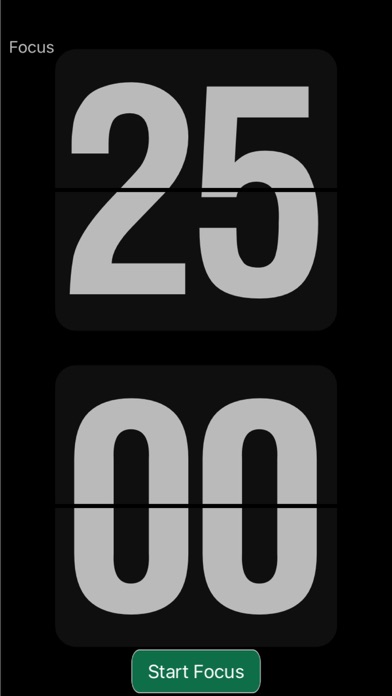
  • Frame 1 (visible in App Store search results before a user taps through) shows the main flip-clock timer displaying '25:00' with a green 'Start Focus' button on a black background. There is no overlay headline β€” a scanning user can read the UI but cannot immediately decode the app's value proposition in under 2 seconds at search-thumbnail size.
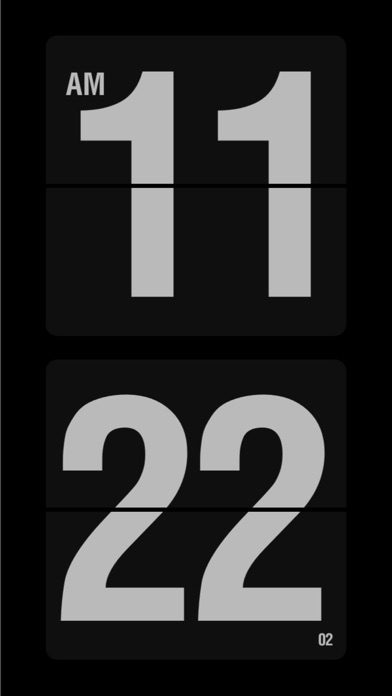
  • Frame 2 shows the same flip-clock in a different state (showing a wall clock time '11:22'), which reduces variety β€” two consecutive frames of large numerals on black blur together.
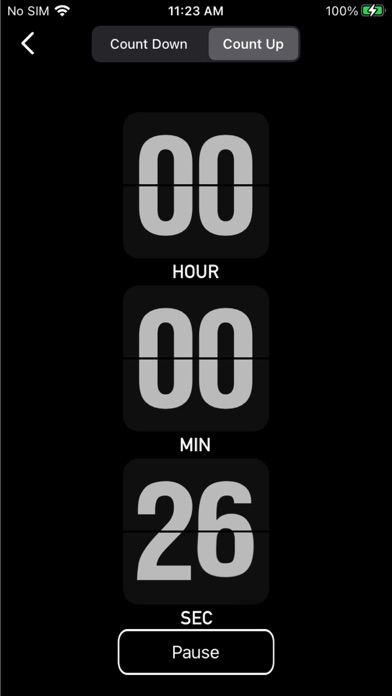
  • Frame 3 (the fourth image provided) shows a Count Down / Count Up interface with scrollable hour/minute/second selectors β€” this is functional UI documentation but does not carry a benefit headline. Users who see only the thumbnail in search results get no copy to anchor the transformation.
  • The absence of text overlay headlines on at least the first frame means the app relies entirely on UI recognition β€” strong for users who already know flip-clock timers, but leaves conversion on the table for users browsing the category.

Recommendations

  • Add a short bold headline overlay to Frame 1 β€” the new copy ('Deep Work. Done Right.') should be printed over the existing flip-clock UI in high-contrast white or green text. The UI itself does not need to change; the overlay does the conversion work.
  • Frame 2 currently shows a wall-clock view which could confuse users expecting a countdown timer. Either caption it clearly ('Track any interval β€” up or down') or swap it for a screen that shows the ambient sound selection feature, which is a key differentiator not visible in the first three frames.
8/10

Ratings & Reviews

1771 reviews Β· 4.5974 avg

Analysis

4.6 stars from 1,771 reviews is a strong trust signal β€” well above the 4.0 threshold where user behavior flips from avoidance to confidence. The recency signal is healthy: 1,771 reviews on the current version indicates active downloads and recent rating activity, which Apple weights more than lifetime averages. The sampled negative reviews cluster around two addressable issues: ad quality (one user saw a 'your phone has a virus' ad and deleted immediately) and feature misunderstanding (users expecting alarm/volume controls that may not be obvious). Neither issue is systemic enough to threaten the overall score.

Recommendations

  • Trigger the native rating prompt (SKStoreReviewController) immediately after a user completes their third successful focus session β€” this is the highest-intent satisfaction moment in the app's flow and will capture users in a positive state.
  • Respond publicly to the negative reviews about ads β€” a developer response explaining ad controls or acknowledging the issue signals to future users (and Apple's algorithm) that the app is actively maintained.
  • Consider adding volume control for background sounds (the most-cited 4-star complaint) β€” addressing this in an update and mentioning it in the 'What's New' notes will convert 4-star reviewers into 5-star reviewers on next prompt.

Screenshot Copy5 frames

Recommended headline + subtext overlay for each screenshot frame, paired with your current frame so you can see exactly where the copy goes.

Frame 1Frame 1
Proposed copy
New headline

Deep Work. Done Right.

New subtext

25-minute focus sessions with ambient sound

Why this copy works

Leads with the outcome a productivity-seeking user wants β€” deep, focused work β€” in four words readable at search-thumbnail size. The subtext names the two core features (timed sessions + ambient sound) that differentiate this app from a plain stopwatch, answering 'what does this actually do' before the user taps through.

Frame 2Frame 2
Proposed copy
New headline

Your Timer. Your Rules.

New subtext

Custom intervals β€” any duration, any rhythm

Why this copy works

Addresses the most common user objection after Frame 1: 'But I don't want exactly 25 minutes.' The headline signals flexibility; the subtext confirms custom intervals are supported, directly countering the negative review theme about preset-only timers.

Frame 3Frame 3
Proposed copy
New headline

Block Out the World

New subtext

Beach, rain, bonfire, train, cricket β€” 5 environments

Why this copy works

Surfaces the ambient sound feature β€” the app's clearest differentiator from competing timers β€” with specific environment names that create sensory appeal. Naming the five environments is more persuasive than 'background sounds' because users self-select ('I love rain sounds β€” this is for me').

Frame 4Frame 4
Proposed copy
New headline

Count Up or Down

New subtext

Flexible for study, work, or any interval

Why this copy works

Expands the perceived use-case from Pomodoro-only to any timed work β€” catching users who search for 'interval timer' or 'study timer' and aren't specifically Pomodoro practitioners. Explicitly naming count-up mode addresses a feature that isn't obvious from the timer-focused first two frames.

Frame 5Frame 5
Proposed copy
New headline

4.6 Stars. 1,700+ Reviews.

New subtext

Free to download β€” start focusing in 30 seconds

Why this copy works

Closes the sequence with the strongest trust signal available (real rating + volume) and answers the pricing question proactively. Users who swipe to Frame 5 are high-intent but hesitant β€” social proof paired with a 'free' confirmation and a time-to-value promise ('30 seconds') removes the last barrier to tapping Get.

90-Day Action Plan

Week 1

5 tasks
  • Apply the new title (27/30 chars), subtitle (28/30 chars), and 100-char keyword field (100/100 chars) from the Ready-to-Paste and 100-Char Keyword Field sections above.
  • Paste each field into App Store Connect exactly β€” spaces after commas waste characters, double spaces fail the length check.
  • Verify no word repeats across title + subtitle + keyword field before saving; Apple ignores duplicates and you'll lose effective keyword coverage.
  • Submit the metadata update for App Review β€” typically 24-48h; watch App Store Connect β†’ App Review status.
  • Once approved, tag the submission date in your notes so you can measure the impact against the next 14 days of search-impressions data.

Week 2

3 tasks
  • Hand the five screenshot headline/subtext pairs from the Screenshot Copy section to a designer along with the existing app UI mockups. Frame 1 ('Deep Work. Done Right.') overlay should use high-contrast white or green text on the existing black flip-clock background β€” no UI redesign needed, only a text layer.
  • Upload the updated iPhone screenshot set (and matching iPad versions β€” you already have 10 iPad screenshots, so update those in parallel to maintain iPad App Store placement).
  • Verify that the Mac Desktop screenshots are also updated if the Mac version shares the same App Store listing β€” missing Mac screenshots can suppress Mac Store visibility.

Week 3

2 tasks
  • Open App Store Connect > Analytics > Search Terms. Confirm impressions are appearing for 'study session,' 'interval timer,' 'pomodoro timer,' and 'concentration' β€” these are the primary new keyword targets. If any are missing after 7 days post-approval, the token combination may need adjustment.
  • Review the one-star and two-star reviews mentioning ads ('your phone has a virus' ad). Post a developer response to the top negative reviews acknowledging the concern and explaining any ad network controls available. This signals active maintenance to prospective users reading recent reviews.

Ongoing

3 tasks
  • Trigger the native rating prompt (SKStoreReviewController.requestReview()) immediately after a user completes their third successful focus session β€” the moment the session-end chime plays and the 'Session Complete' state is shown. This is the highest-satisfaction moment in the flow.
  • Monitor weekly rankings for 'study session,' 'interval timer,' and 'concentration timer' β€” the three compound terms most likely to move first after the metadata update. No tools required; search these terms manually on an iPhone in the US App Store and note your position.
  • Refresh the keyword field every 90 days: swap out the lowest-performing tokens (visible in App Store Connect Search Terms as low-impression keywords) for seasonal or trending alternatives β€” e.g. 'exam' and 'finals' in April/November when student search volume spikes.

Expected Impact

The most significant shift is moving 'session' (popularity 70, opportunity 32) into the title β€” the highest-weighted field β€” which this app currently does not capture at all. Combined with replacing 'tomato' (popularity 7) with 'pomodoro' (popularity 48) in the subtitle, the rewrite moves from low-volume head terms to mid-volume, winnable compound targets across all three indexed fields. With a 4.6-star rating and 1,771 reviews, the app has the credibility to compete in the difficulty-54 to difficulty-62 range. Realistically, within 4-8 weeks of the metadata update going live, expect measurable impression increases on 'study session,' 'interval timer,' 'pomodoro timer,' and 'concentration timer' compounds. The description rewrite from 650 to ~1,274 characters with a transformation-first structure and explicit CTA should improve the product page conversion rate β€” the current description is losing users who land but don't see enough reason to tap Get. The combined effect of better indexing (more impressions) and better conversion (higher install rate per impression) is what closes the gap from 71 to 86.