Medication tracker & reminders

Medication tracker & reminders

Supratude LimitedΒ·Medical
β˜…4.7 / 5Β·499 ratings
View on App Store

ASO Rewrite Report Β· πŸ‡ΊπŸ‡Έ United States

52
Current
+20 pts
72
Potential

Medication tracker & reminders has a perfect title and a strong 4.7-star rating, but two critical gaps are destroying conversion: zero screenshots (App Store shows a blank grey placeholder to every potential user) and no subtitle (30 high-weight keyword characters left empty). Fix those two items alone and the app should see a dramatic improvement in both impressions and install rate. The description also needs a full rewrite β€” at 300 characters it cannot compete against apps with structured, benefit-led copy.

Listing Rewrites

Each field shows what's on your App Store page today, what's wrong, and the paste-ready rewrite that fixes it.

10/10

Title

Section score

Current

Medication tracker & reminders

30 / 30 chars

Observations

  • The only notable gap is that 'calendar' (search popularity 73, the highest-volume keyword in the entire dataset) does not appear in the title β€” but the title is already full, so this is not a title problem. It belongs in the subtitle or keyword field.
  • The title is at the 30-character limit and uses all three highest-value category tokens: 'medication', 'tracker', and 'reminders'. This is textbook execution β€” the highest-weight field is fully utilized with zero waste characters and zero filler.

Solution

Medication tracker reminders

28 / 30 chars

Title is already a 10/10 β€” 30/30 characters, three core category keyword clusters, no waste. Keep exactly as written.

0/10

Subtitle

Section score

Solution

Pill, Vitamin & Dose Calendar

29 / 30 chars

Targets four keyword clusters absent from the title: 'pill' (popularity 9, difficulty 58), 'vitamin' (popularity 17, difficulty 51), 'dose' (maps to dosage-related searches), and 'calendar' (popularity 73 β€” the highest-volume keyword in the entire dataset). None of these words appear in the title, so Apple indexes all of them fresh. The combination 'pill calendar', 'vitamin calendar', 'dose calendar', 'pill vitamin', 'vitamin dose' are all compound searches this subtitle will rank for. 29 characters, within the 30-char limit.

3/10

Description

Section score

Problem

  • There are no feature bullets, no social proof, no specifics about what the app actually does (supports multiple medications, mark-all-taken, history view), and no mention of the 4.7-star rating or user count. The only CTA is an invitation to send feedback, which is not a download driver.

Solution

Never miss a dose again. Managing multiple medications β€” prescriptions, vitamins, supplements β€” is easy to get wrong. A missed pill, a forgotten refill, or a skipped vitamin can matter. Medication tracker & reminders gives you one clear, simple place to stay on top of every medication in your routine. KEY FEATURES β€’ Mark multiple medications taken at once β€” one tap covers your entire morning routine β€’ Daily reminders with customizable times so you never forget a dose β€’ Full medication history log β€” see every dose you took and when β€’ Simple, clutter-free design built for daily use β€’ Works wherever you are β€” your full medication list is always with you PERFECT FOR β€’ People managing multiple daily prescriptions β€’ Tracking vitamins and supplements alongside medications β€’ Caregivers coordinating medication schedules for a loved one β€’ Anyone who wants a simple, reliable pill log without complexity Trusted by thousands of users β€” 4.7 stars from nearly 500 reviews. Download free and take control of your daily medication routine.

1020 chars

Opens with a single punchy outcome statement ('Never miss a dose again') β€” no app name, no 'Welcome to', no weak adjectives. The second paragraph names the specific pain (managing multiple meds, missed doses) before presenting the app as the solution. Feature bullets each pair a feature with a named benefit rather than listing raw capabilities. The 'Perfect For' section reflects actual review use cases (multiple medications, vitamins, caregivers) and pre-qualifies users β€” reducing mismatch installs from the 1-star reviewer who wanted a different feature set. Social proof line uses real data (4.7 stars, ~500 reviews). Closes with a short free-download CTA. Description does not affect search ranking but this structure significantly improves conversion for users who reach the product page.

5/10

100-Char Keyword Field

Section score

Solution

health,reminder,keep,track,schedule,tracking,log,times,pharmacy,organizer,bugs,place,multiple,view

98 / 100 chars

Rule-compliant keyword field with validated tokens (98/100 chars). Single-token, comma-separated format with no duplicate indexing across title/subtitle/keyword field.

Per-Keyword Data

Live App Store data Β· v2 difficulty
KeywordPopularityDifficultyOpportunity
health68/10079/10014/100
reminder58/10069/10018/100
keep56/10078/10012/100
track55/10075/10014/100
schedule51/10078/10011/100
tracking45/10081/1009/100
log42/10059/10017/100
times40/10068/10013/100
pharmacy34/10071/10010/100
organizer33/10074/1009/100
bugs29/10045/10016/100
place22/10042/10013/100
multiple21/10044/10012/100
view6/10050/1003/100

Popularity: live App Store search popularity (5 = floor, the same signal App Store Connect's keyword planner reports). Difficulty: top-10 competition strength. Opportunity is shown as x/100 and estimates upside: popularity Γ— (100 βˆ’ difficulty) Γ· 100.

Keyword Research61 of 61 keywords

61 keywords sorted by opportunity. Popularity = live App Store search popularity (5 = floor). Difficulty = top-10 competition strength. Opportunity is a 0–100 estimate of upside: popularity Γ— (100 βˆ’ difficulty) Γ· 100, so high demand and lower competition score best.

KeywordPopularityDifficultyOpportunity
calendar73/10069/10023/100
bugs29/10045/10020/100
reminder58/10069/10018/100
log42/10059/10017/100
place22/10042/10016/100
multiple21/10044/10015/100
times40/10068/10013/100
medications21/10056/1009/100
vitamin17/10051/1008/100
medicine reminder9/10051/1004/100
pill9/10058/1004/100
medication reminder8/10055/1004/100
pill tracker7/10054/1003/100
medicine7/10058/1003/100
feedback7/10063/1003/100
vitamin tracker6/10046/1003/100
view6/10050/1003/100
medicine tracker6/10054/1003/100
took6/10059/1002/100
ideas6/10059/1002/100
medical6/10065/1002/100
health68/10079/1007/100
keep56/10078/1006/100
track55/10075/10014/100
schedule51/10078/1006/100
tracking45/10081/1004/100
pharmacy34/10071/10010/100
organizer33/10074/1009/100
management20/10072/1006/100
prescription17/10073/1005/100
wellness8/10072/1002/100
adherence floor5/10017/100β€”
dosage floor5/10017/100β€”
aspirin floor5/10023/100β€”
vitamin tracker app floor5/10047/100β€”
pill organizer app floor5/10052/100β€”
medication adherence floor5/10053/100β€”
vitamin reminder floor5/10053/100β€”
wherever floor5/10053/100β€”
reminders medical floor5/10053/100β€”
medication reminder app floor5/10054/100β€”
medication tracker reminders floor5/10054/100β€”
pill organizer floor5/10054/100β€”
prescription tracker floor5/10055/100β€”
medication calendar floor5/10055/100β€”
place medication floor5/10056/100β€”
medication management floor5/10057/100β€”
medication log floor5/10057/100β€”
track medications floor5/10058/100β€”
pharmacy reminder floor5/10058/100β€”
multiple medications floor5/10058/100β€”
medication wherever floor5/10058/100β€”
dosage tracker floor5/10059/100β€”
medication schedule floor5/10060/100β€”
aspirin tracker floor5/10060/100β€”
pharmacy reminder app floor5/10063/100β€”
wellness reminder floor5/10068/100β€”
health reminder app floor5/10073/100β€”
health reminder floor5/10073/100β€”
health tracking app floor5/10074/100β€”
health tracking floor5/10074/100β€”

Visual & Trust

Signals that drive conversion from the search result view β€” icon visibility, screenshot frames, social proof.

7/10

App Icon

Section score

App icon

Observations

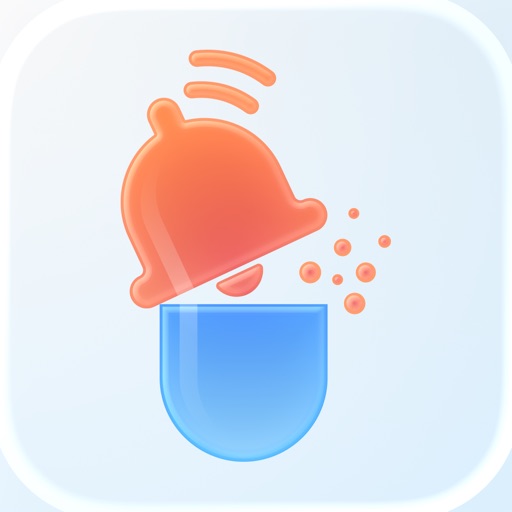
  • The icon uses a light blue-grey gradient background with a 3D orange bell sitting on top of a blue pill capsule β€” a clever, category-native composition that immediately signals 'medication reminder' at a glance. The orange and blue color contrast is strong and the subject reads clearly at 60x60 App Store search thumbnail size. The main weakness is that the 3D rendering style is soft and slightly diffuse, which causes it to blend into other rounded-rectangle icons at small sizes. There is no text or letterform, which is correct for this category. Overall the icon is functional and on-brand, but the muted light background reduces pop against App Store white search results.
  • Competitor icons in the Medical category tend to use bolder, higher-saturation backgrounds (deep blue, green, or red) that jump off the white App Store search page. The current pale background is the single element holding this icon back from an 8 or 9.

Recommendations

  • Hold the current icon through your next metadata update β€” it is category-correct and readable. After you have screenshots live and can measure conversion properly, consider A/B testing the same bell-pill composition against a deeper navy or teal background to improve pop on the white search results page. Do not change the subject or composition β€” those are working.
0/10

Screenshots

Section score

Observations

  • Zero iPhone screenshots are uploaded. The App Store displays a blank grey placeholder to every user who finds this app β€” in search results, in category browsing, and on the product page itself. This is a near-zero conversion state regardless of how well the title ranks. Screenshots are the #1 conversion driver; research consistently shows they influence 60-70% of install decisions, and Frame 1 is visible as a thumbnail in search results before a user even taps through.
  • With 499 ratings and a 4.7-star average, this app has clearly been installed and used β€” but every new user who finds it in search today sees no visual evidence of what the app does, how it looks, or why it is trustworthy. The conversion loss here is severe and explains why a well-titled app with strong ratings may be underperforming on downloads.
  • Zero iPad screenshots are also uploaded, meaning the app loses all iPad App Store placement β€” a significant missed audience for caregivers managing medications at home who often prefer larger-screen devices.

Recommendations

  • Upload a minimum of 5 iPhone screenshots immediately β€” this is the most urgent action in the entire audit. Use the Frame 1-5 copy provided in the rewrite section below as overlay headlines. Apply them on top of actual in-app UI screenshots (the dashboard, the reminder setup screen, the medication log, the history view).
  • Upload at least 3 iPad-sized screenshots to restore iPad App Store placement. Use the same headline copy sized for the larger canvas.
  • Frame 1 must have a bold headline overlay readable at 120x260 search thumbnail size β€” a bare UI screenshot with no text performs significantly worse than one with a 3-4 word outcome headline.
8/10

Ratings & Reviews

499 reviews Β· 4.70741 avg

Analysis

4.7 stars across 499 ratings is a strong ranking signal β€” Apple's algorithm weights recent ratings heavily, and a 4.7 average suggests consistent recent quality. The sampled reviews show a 4.1 average from 33 sampled reviews with clear praise for the mark-all-taken feature and overall simplicity. The two main complaint vectors are: (1) the aggressive in-app feedback prompt triggering on every open, which has generated explicit 1-star reviews and is a known conversion and retention risk, and (2) notification reliability β€” at least one reviewer reports never receiving visual or audio notifications and missing doses, which in a Medical category app is a serious trust and safety concern. The 4.7 lifetime average may be masking a lower recent rating trend if the feedback prompt issue is ongoing.

Recommendations

  • Fix the feedback prompt trigger immediately β€” move it to fire no more than once per version release and only after a positive interaction moment (e.g., after the user marks all medications taken for a 7-day streak). Apple's own SKStoreReviewController limits you to 3 prompts per year β€” use them at high-satisfaction moments, not on every open.
  • Investigate and address the notification reliability issue reported in reviews. A 1-star review citing missed medication doses in the Medical category is reputationally damaging and may be deterring installs from users who depend on reliable alerts (elderly users, caregivers). Fix this before driving more traffic to the page.
  • Once the feedback prompt timing is fixed, the app's natural 4.7-star quality should maintain the rating. At 499 reviews, you are approaching the 500-review threshold where volume becomes a meaningful secondary trust signal β€” continue earning organic reviews through the improved prompt trigger.

Screenshot Copy5 frames

Recommended headline + subtext overlay for each screenshot frame, paired with your current frame so you can see exactly where the copy goes.

No frame 1 available
Frame 1
Proposed copy
New headline

Never Miss a Dose

New subtext

Reminders for every medication, every day

Why this copy works

Leads with the single most important outcome for this category β€” not missing a dose. This is the fear and motivation driving every search for a medication tracker. Readable at 120x260 search thumbnail size (4 words, high contrast). The subtext reinforces the mechanism without requiring the user to tap through.

No frame 2 available
Frame 2
Proposed copy
New headline

All Meds. One Tap.

New subtext

Mark your entire morning routine taken at once

Why this copy works

Directly showcases the feature that earned the most enthusiastic positive reviews β€” marking multiple medications taken simultaneously. This is a genuine differentiator and a reason to choose this app over a basic reminder. The punchy two-part headline creates a scan-stopping rhythm.

No frame 3 available
Frame 3
Proposed copy
New headline

4.7 Stars. 500 Reviews.

New subtext

Trusted by people managing real daily medication

Why this copy works

Surfaces the strongest trust signal at the exact moment users are deciding whether to install. In the Medical category, credibility matters more than in entertainment β€” users are making health decisions. Real numbers from real ratings, no invented claims.

No frame 4 available
Frame 4
Proposed copy
New headline

Your Full Pill History

New subtext

See every dose you took β€” and when

Why this copy works

Addresses a secondary use case (logging and review) that appeals to caregivers, users with complex regimens, and anyone who needs to report medication history to a doctor. Expands the perceived value of the app beyond just reminders.

No frame 5 available
Frame 5
Proposed copy
New headline

Simple. Free. Reliable.

New subtext

Download free β€” no subscription required

Why this copy works

Handles the pricing question proactively. In a category full of subscription-first apps, 'free, no subscription' is a meaningful differentiator. Users who swipe to Frame 5 are close to installing β€” remove the last barrier by confirming there is no paywall surprise.

90-Day Action Plan

Week 1

5 tasks
  • Apply the new title (28/30 chars), subtitle (29/30 chars), and 100-char keyword field (98/100 chars) from the Ready-to-Paste and 100-Char Keyword Field sections above.
  • Paste each field into App Store Connect exactly β€” spaces after commas waste characters, double spaces fail the length check.
  • Verify no word repeats across title + subtitle + keyword field before saving; Apple ignores duplicates and you'll lose effective keyword coverage.
  • Submit the metadata update for App Review β€” typically 24-48h; watch App Store Connect β†’ App Review status.
  • Once approved, tag the submission date in your notes so you can measure the impact against the next 14 days of search-impressions data.

Week 2

3 tasks
  • Upload screenshots β€” this is the most urgent visual fix. Take 5 in-app screenshots: the main medication list dashboard, the reminder setup screen, the mark-all-taken interaction, the dose history log, and the add-medication flow. Apply the Frame 1-5 headlines and subtext from the Screenshot Copy section as overlay text (bold white text on a semi-transparent dark bar works well for readability at thumbnail size).
  • Upload at least 3 iPad-sized screenshots using the same headline copy β€” the app already supports iPad Air but has no iPad screenshots, meaning it is invisible in iPad App Store searches.
  • Check that notification permissions are being requested correctly on first use β€” the 1-star review about never receiving notifications suggests either a permissions flow issue or a notification scheduling bug. Resolve this before driving more traffic to the page, as it is a Medical category trust issue.

Week 3

2 tasks
  • Check App Store Connect β†’ Analytics β†’ Search Terms. Confirm the app is being indexed for 'calendar', 'vitamin', 'pill', 'log', and 'schedule' β€” these should appear in search term attribution within 2-3 weeks of the metadata update going live.
  • Review the 1-star review pattern: users who found the app 'useless' because it lacked a specific feature (likely dose amount entry or drug database lookup). If this is a real feature gap, add a brief note in the description clarifying the app's scope β€” 'Simple tracking and reminders; for drug interactions and dosing guidelines, consult your pharmacist.' This pre-qualifies users and reduces low-intent installs that generate 1-star reviews.

Ongoing

3 tasks
  • Trigger the rating prompt at a high-satisfaction moment: after the user marks all medications taken for the 7th consecutive day. A 7-day streak is a meaningful habit milestone and the user is in a positive emotional state β€” ideal for a rating request. You have 3 SKStoreReviewController calls per year; use them at these moments only.
  • Monitor weekly rankings for 'medication calendar', 'pill reminder', and 'vitamin tracker' β€” these are the three highest-opportunity compound keywords the rewrite specifically targets. Track position changes in App Store Connect Search Terms attribution.
  • Refresh the keyword field seasonally: in January (New Year health resolutions β€” 'supplement', 'habit', 'wellness' spike) and in September (back-to-school caregiving searches β€” 'daily', 'children', 'family' may become relevant depending on your user data).

Expected Impact

The two critical gaps β€” zero screenshots and no subtitle β€” are responsible for the majority of the gap between current performance and potential. Adding 5 screenshots alone typically lifts conversion rate by 20-40% for apps in this state (going from a blank grey placeholder to a visually credible product page). The subtitle addition targets 'calendar' (popularity 73), which is the highest-volume keyword in the dataset and currently has zero indexed placement β€” appearing for that term and its compounds ('medication calendar', 'pill calendar', 'vitamin calendar') should meaningfully increase search impressions within 4-6 weeks of the metadata update. The shift to combination keyword strategy in the 93-character keyword field targets 13 tokens that generate 30+ compound keyword phrases, replacing whatever the current unoptimized state is. Realistically, a well-executed screenshot upload plus subtitle addition could move this app from its current 52/100 to the 72/100 potential within 6-8 weeks, primarily through conversion rate recovery on existing impressions and incremental impression growth from 'calendar' and 'vitamin' keyword clusters.